How to token swaps / trades
Token swaps on buycoin.bot are a simple way to trade one token for another via automated liquidity pools on Ethereum, Polygon, BSC, Base, Arbitrum, Solana or Sui.
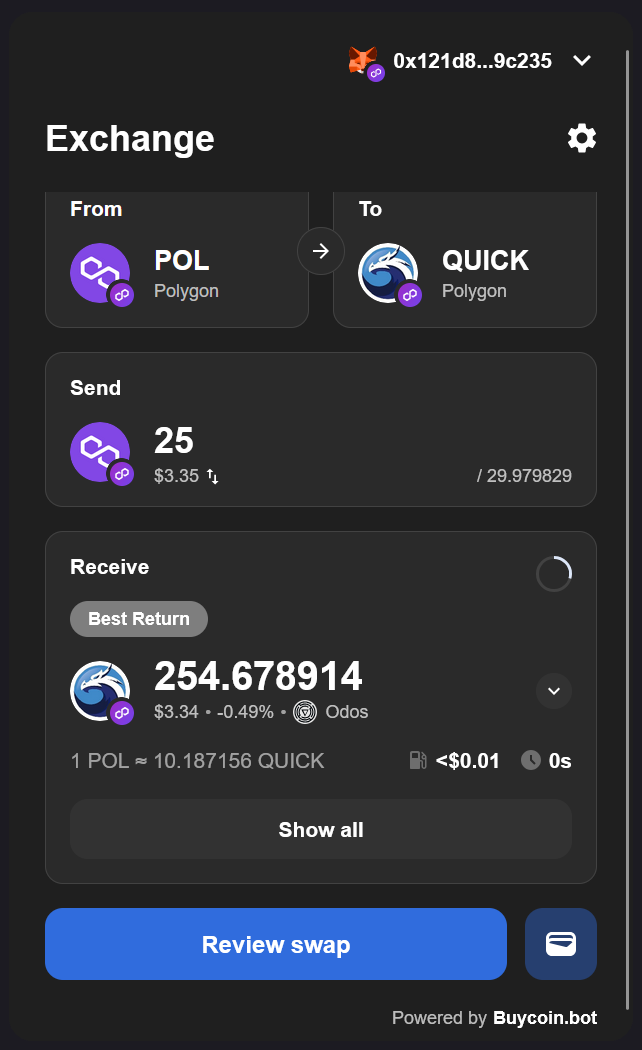
Trading on buycoin.bot is very easy compared to most exchanges. You aren't going to be overwhelmed by charts or jargon, and trading routes and calculations are all handled for you by the Buycoin Smart Router.
Trading on the buycoin.bot
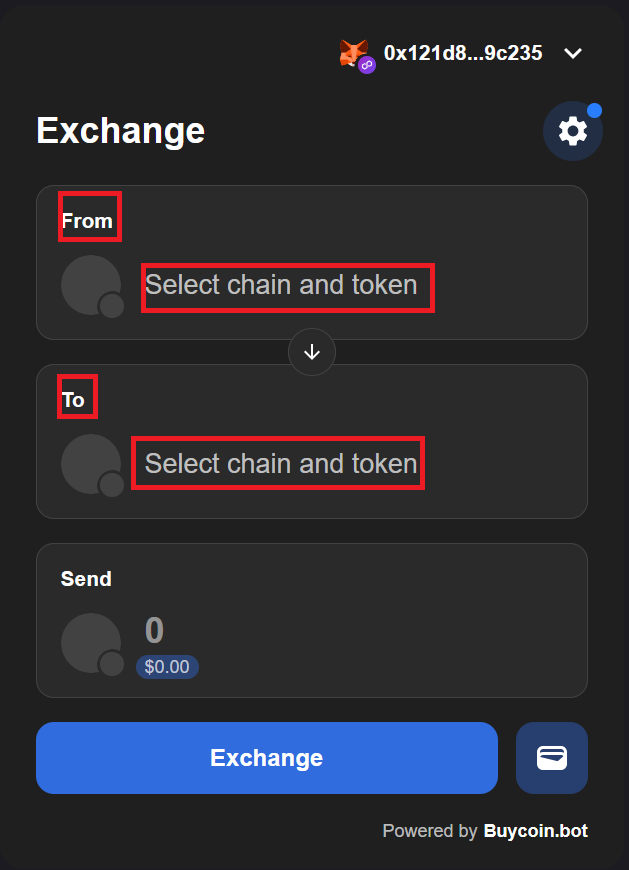
Visit https://dapp.buycoin.bot and connect your wallet
-
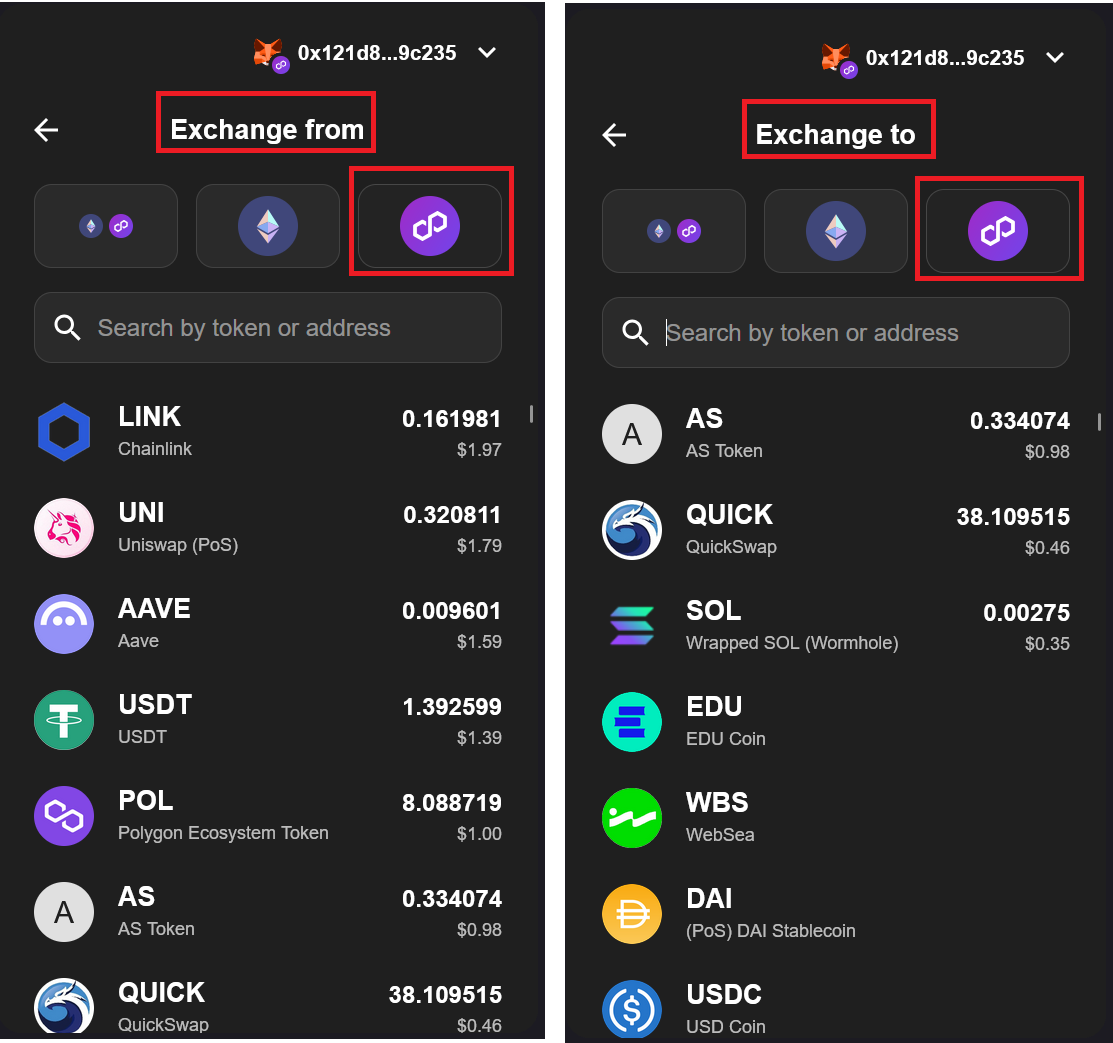
Select Tokens in the token selector "Exchange from" and "Exchange to". To find the token you need, you can search by name or by smart contract address.
You will see the balance of your tokens in your connected wallet.
-
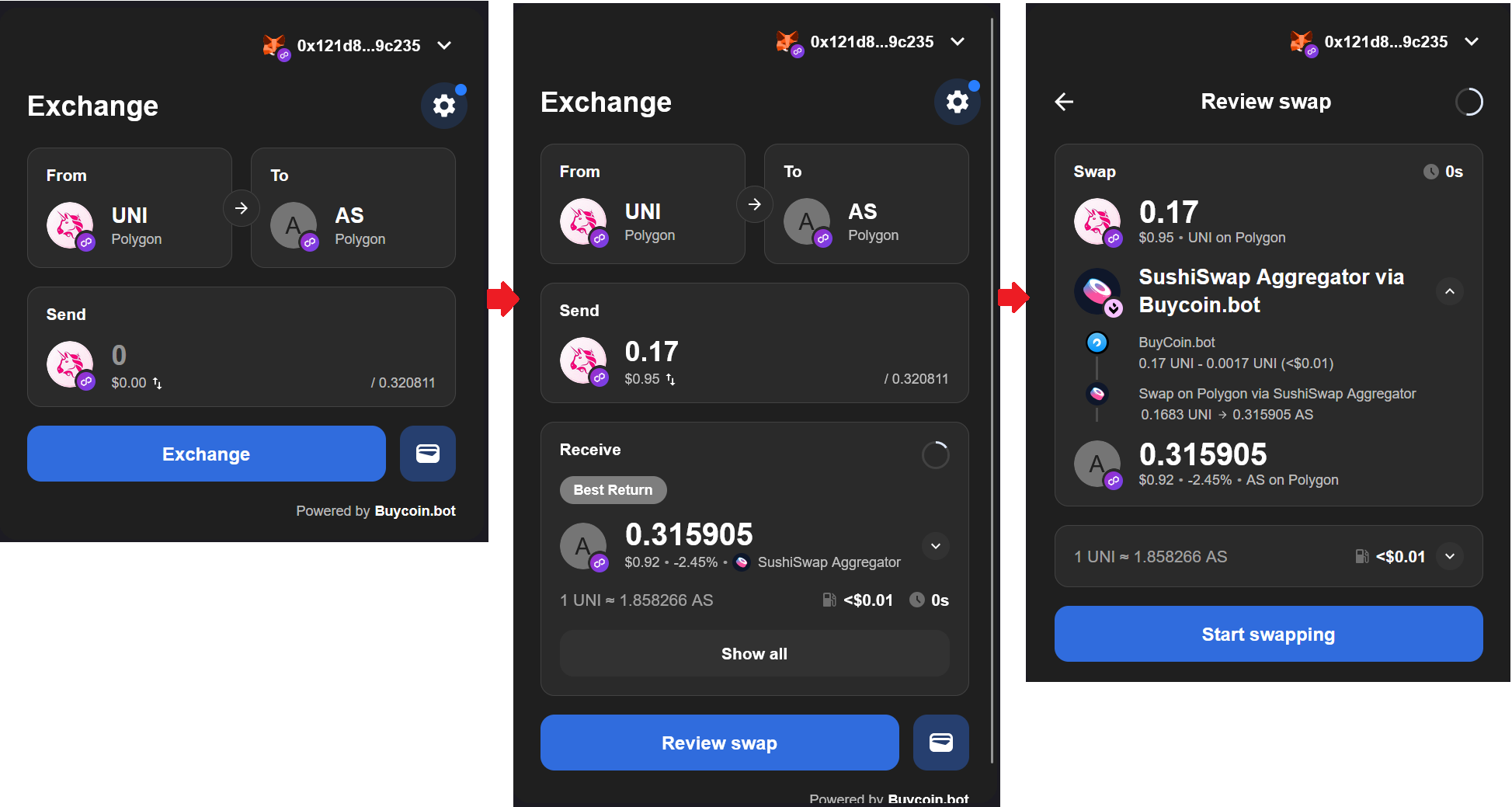
After you have selected the tokens you want to exchange as part of a on-chain SWAP transaction, this will be displayed in the window.
You need to enter the amount of tokens you want to exchange so that our BuyCoin Smart Router can find the best and most profitable exchange route for you.
If you are trading a token for the first time, you may need first to click "Enable XXX (your token)" to approve.
-
Review on-chain swap details: chain , tokens, respective amounts, total fees and price impact. Next, you just need to click on the button to start the process.
You also need to sign the transaction in your wallet connected to dapp.buycoin.bot
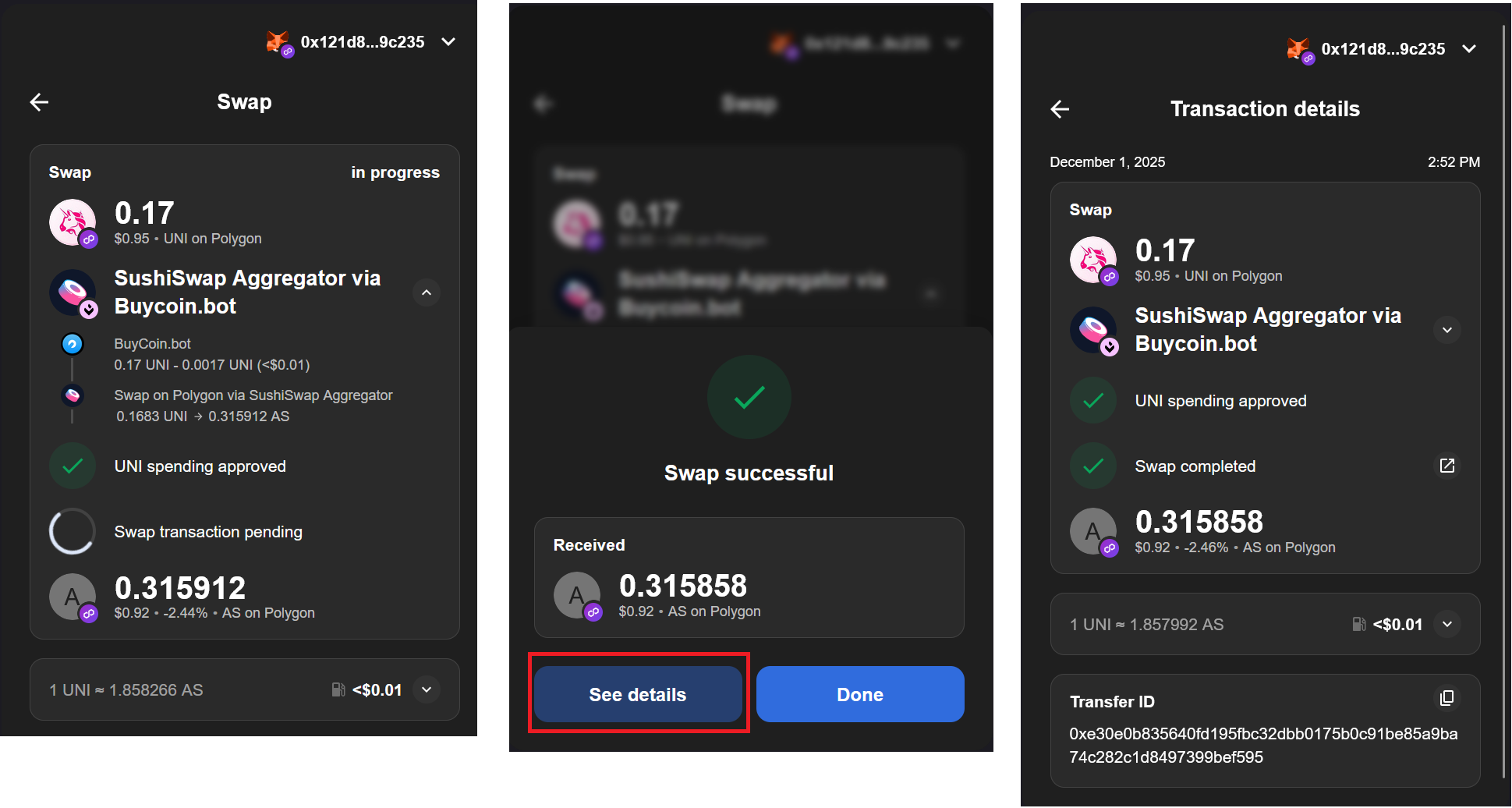
After signing the transaction, you need to wait a few seconds for the transaction to be executed. The progress of the transaction is displayed on the Swap screen. Once the transaction is complete, you will receive a message confirming that the transaction was successful and you can view the transaction details by clicking on the button.